How to manage API development teams with WSO2 API Manager

WSO2 API Manager recently added a feature to control the visibility and the management of the API publisher interface which allows multiple teams within a same organization to independently develop their APIs without allowing others to edit or modify APIs. Even though separate teams can achieve the same (or higher) level of isolation through multi tenancy, it is not a viable option for most user scenarios where they need to expose APIs through the same tenant without dealing with the tenant level complexities.
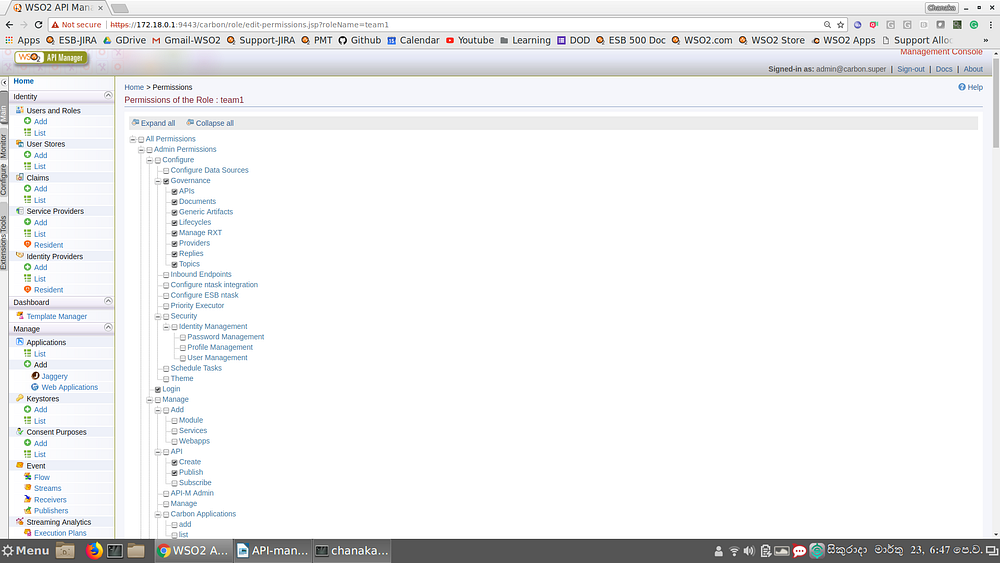
The basic requirement to achieve team level isolation is to create a role per team with necessary permissions to create and publish APIs. You can do this by log in to the WSO2 API manager carbon console (https://localhost:9443/carbon) and then creating a role for team1 and then assigning API creation and publishing permissions.
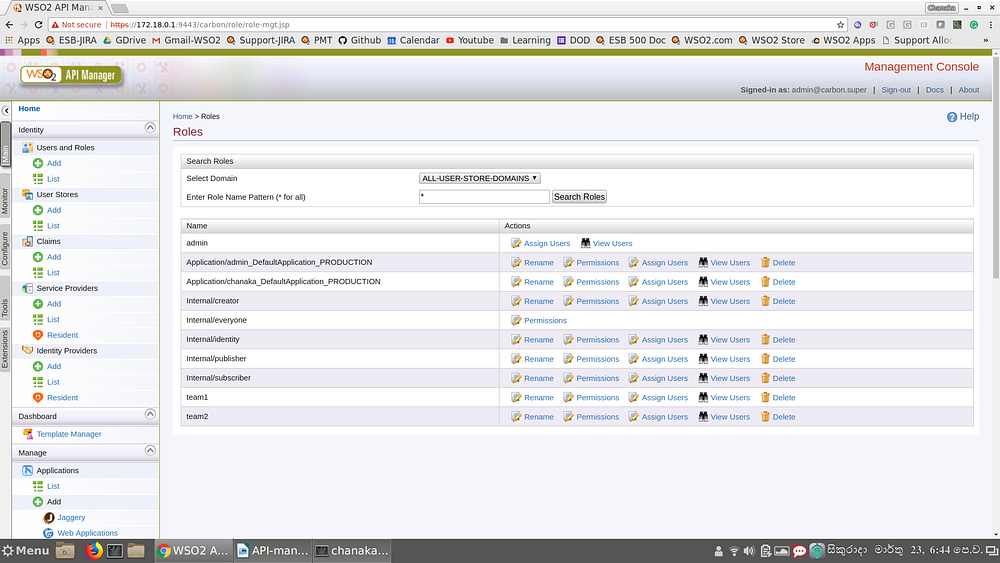


View user roles created within the API manager


Permission assignment to role created for team1
Once this role is created, the team members related to team1 can be assigned to this role. Once we do that, APIs created by any of the team member of team1 can select the team1 role as the Access control→Restricted by roles option of publisher when creating the APIs so that the API can only be visible in the publisher portal to any other team members in the same team only (+admin).
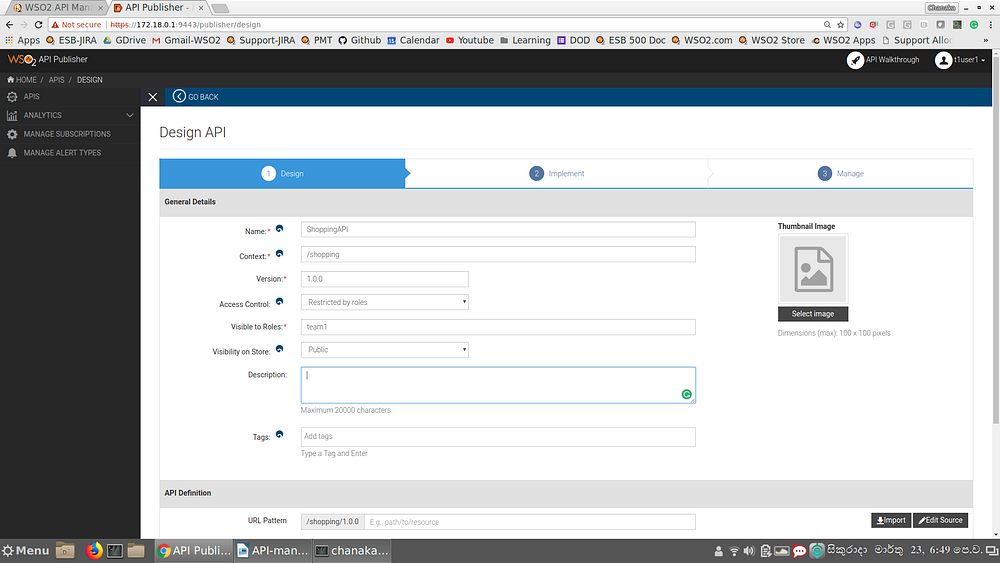


API publisher access control
If the team members in another team (group) creates an API, those APIs will not be visible to the members of the team1 within the publisher portal (if they follow the same steps mentioned above). This will make the team level isolation during the API development time.
Even though these APIs are not visible within the publisher portal, the visibility on the Store portal can be different. When the API is created, user can select the visibility level at the store. That can be done at
  • Role based
  • Tenant domain based
  • Public
Depending on the selected visibility level of the Store side, other team members might also be able to view the API within the store. But they cannot modify the API since it is not visible at the publisher side.
Using this method, an organization can easily manage their multiple API development teams without interfering with each other. This feature is available with API Manager 2.1.0 latest updates.

Comments

Post a Comment

Popular posts from this blog

How to protect your APIs with self contained access token (JWT) using WSO2 API Manager and WSO2 Identity Server

In a typical enterprise information system, there is a high chance that people will use different types of systems built by different vendors to implement certain types of functionalities. The APIs might be hosted in an API Manager developed by vendor A and the user management can be implemented using a different vendor (vendor B). In this type of a situation, one system will not be able to directly contact the other system but they want to use both systems in tandem. Self-contained access tokens are used in these types of situations where applications can get the token from one system and use that in another system to access protected resources. In this scenario, the second system does not need to make a contact to the first system over the network to validate the user information since the token is self-contained and it has relevant details about the user. This will improve the token processing time significantly since it completely removes the network interaction. The below fig...

WSO2 ESB creating a response for a "GET" request

When you are creating REST APIs with WSO2 ESB, you may need to send some response message back to the user when something goes wrong. In this kind of scenario, you can create a payload inside the ESB and send it back. For doing this, you can use the below configuration. <api xmlns=" http://ws.apache.org/ ns/synapse " name="LoopBackProxy" context="/loopback">    <resource methods="POST GET">       <inSequence>          <property name="NO_ENTITY_BODY" scope="axis2" action="remove"></property>          <log level="full"></log>          <payloadFactory media-type="xml">             <format>                <m:messageBeforeLoopBack xmlns:m=" http://services...

How to configure timeouts in WSO2 ESB to get rid of client timeout errors

WSO2 ESB has defined some configuration parameters which controls the timeout of a particular request which is going out of ESB. In a particular  scneario, your client sends a request to ESB, and then ESB sends a request to another endpoint to serve the request. CLIENT->WSO2 ESB->BACKEND The reason for clients getting timeout is that ESB timeout is larger than client's timeout. This can be solved by either increasing the timeout at client side or by decreasing the timeout in ESB side. In any of the case, you can control the timeout in ESB using the below properties. 1) Global timeout defined in synapse.properties (ESB_HOME\repository\conf\) file. This will decide the maximum time that a callback is waiting in the ESB for a response for a particular request. If ESB does not get any response from Back End, it will drop the message and clears out the call back. This is a global level parameter which affects all the endpoints configured in ESB. synapse.global_timeout_inte...